Two years ago, getting found online meant one thing for most WordPress site owners. You wrote a post, you optimized it for Google and you waited for the ranking. Today your customers open ChatGPT to compare products, ask Claude to summarize a long guide and let Perplexity find them the three links worth clicking. Google still sends the largest share of traffic to most sites and it has stopped being the only door people walk through.
That shift creates a very practical problem. The SEO plugin sitting in your dashboard right now was designed for a search engine that returned ten blue links. It fills in your meta tags, builds a sitemap and turns light green when your keyword usage looks healthy. Very little of that helps when a language model is deciding which page to quote in an answer.
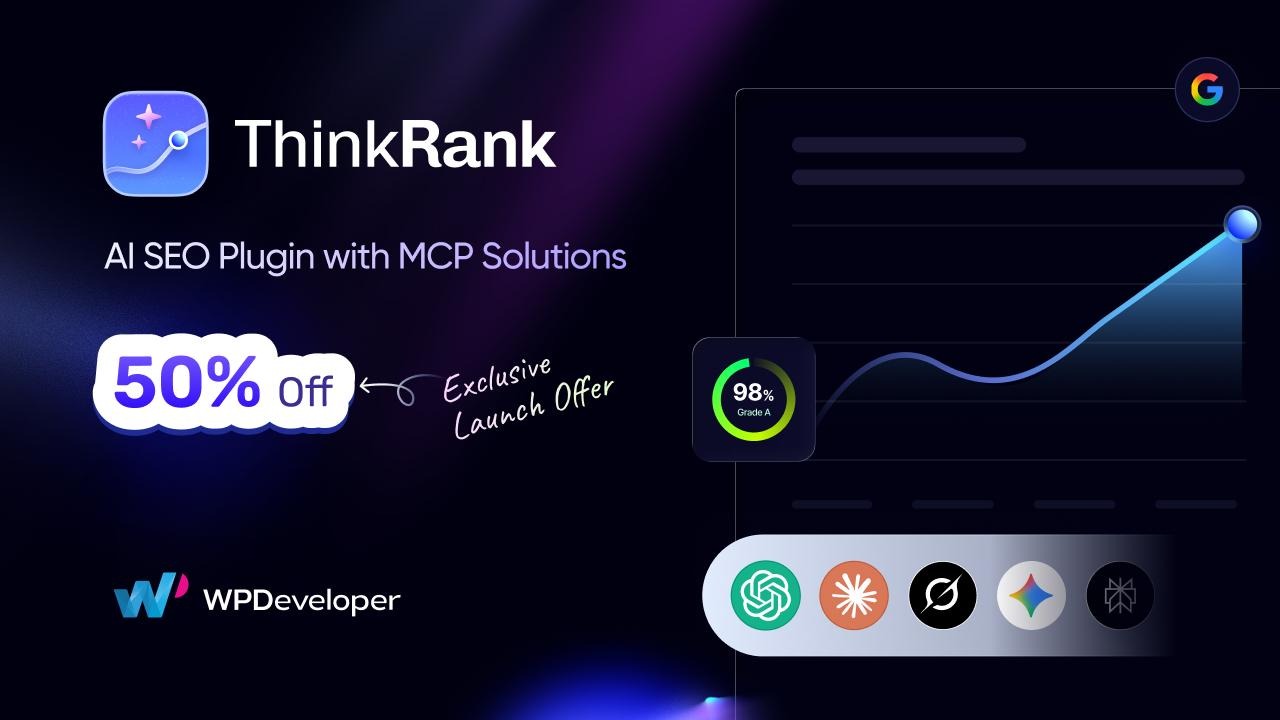
Today we are shipping something we think closes that gap for good. ThinkRank is out, it is free on WordPress.org and it is the first WordPress SEO plugin that allows your AI assistant do the work instead of just talking about it.
ThinkRank covers every traditional SEO job you already depend on, then adds an agentic layer on top. It generates metadata with AI, publishes an llms.txt file, structures your content so answer engines can lift it cleanly and ships with a built-in MCP server that helps Claude, ChatGPT or Cursor run SEO tasks directly inside your site. Dive in with us and see exactly what ThinkRank brings to your WordPress site.
TL;DR
Short on time? Here is the whole plugin in one table:
What You GetWhat It DoesWho It Helps MostBuilt-in MCP serverConnects Claude, ChatGPT or Cursor to your site so you can run 35+ SEO tools by chattingAgencies, power users, anyone managing lots of postsAI metadata generationWrites SEO titles and meta descriptions with a live Google preview and one-click applyBloggers and publishers at scaleReal-time SEO score13-factor on-page analysis with one-click fixes and an “Explain with AI” optionBeginners learning on-page SEOllms.txt generatorPublishes and maintains a machine-readable map of your site for AI crawlersSites chasing AI search visibilitySchema ManagerArticle, FAQ, HowTo, Product, Review, Local Business and Breadcrumb JSON-LD, plus schema import from any URLAnyone chasing rich resultsXML sitemaps and Instant IndexingBasic, Complete, eCommerce and Segmented sitemap modes with IndexNow submissionLarge sites and frequent publishersSearch Console and GA4Clicks, impressions, queries, Core Web Vitals and PageSpeed inside WordPressSite owners who hate tab-switchingOne-click migrationImports from Rank Math, Yoast SEO, AIOSEO and SEOPress including redirects and title formatsAnyone switching SEO pluginsBring your own AI keyOpenAI, Claude, Gemini or OpenRouter with your own key, so there are no plugin usage creditsCost-conscious teamsPriceFree on WordPress.org.
Pro starts at $49.50/ year for one site [50% Discount for Exclusive Launch Offer]Everyone
What Is ThinkRank?
ThinkRank is an AI SEO plugin for WordPress built by WPDeveloper. It manages metadata, schema markup, XML sitemaps, robots meta, canonical URLs, plus Search Console and GA4 reporting, then adds AI metadata generation, an llms.txt generator and a built-in MCP server so assistants like Claude and ChatGPT can run SEO tasks inside your site in plain language.
It is available free on WordPress.org, works with WordPress 6.0 and above and currently sits at a 4.6-star rating with 3,000+ active installations.
The fastest way to see what that means in practice is the Setup Wizard. It takes under three minutes, pre-fills your site identity, pulls in your existing SEO data from whichever plugin you are running now and hands you a configured site rather than a blank settings screen.
Why WPDeveloper Built ThinkRank
Every WPDeveloper product starts with a problem our users keep running into, not with a feature list. ThinkRank started the same way. Across our support desk, our Facebook community of 6 million+ WordPress users and a review of how search behaviour has actually shifted over the past two years, three problems kept surfacing. Here is what we saw and what we built for each one.
Trend 1: SEO Work Had Moved from Checklists to Conversations
Most SEO plugins hand you a checklist. Add a focus keyword, shorten your title, fix your subheadings. That model works fine for one post. It falls apart when you have 400 posts and an afternoon, which is the situation most of the site owners writing to us were actually in.
What we noticed in those conversations was the workaround people had already invented. They were asking ChatGPT or Claude for SEO advice, getting a good answer, then copying it back into WordPress by hand, one field at a time. The advice lived in one window and the site lived in another, and the gap between them was pure manual labour.
Solution: A built-in MCP server, so the assistant you already ask for advice can make the change itself. No copying, no second window. That is the difference between a tool that tells you what is wrong and a tool that fixes it.
Trend 2: AI Search Had Become a Real Traffic Source
Answer engines now sit between your content and your reader. When we looked at where our users were actually losing visibility, it was not that their Google rankings had collapsed. It was that a growing share of their audience never reached a results page at all.
Google itself has published guidance on AI features and its message is refreshingly plain: the same helpful, people-first content and standard structured data that ranks in organic search is what surfaces in AI features. Strong technical SEO is the foundation, not a separate track. What changes is how your content is formatted, how clearly your entities are defined and how easy your pages are to quote.
Solution: Answer-first content structuring, entity and knowledge-graph controls, FAQ blocks that output valid schema and an llms.txt generator, all in the same plugin that handles your regular on-page SEO. You do not run a separate AI SEO workflow. You run one workflow that covers both.
Trend 3: AI Features were Being Sold by The Credit
The third pattern was simple frustration, and it showed up in support tickets more than anything else. Several popular plugins gate AI generation behind credit packs, so writing 50 meta descriptions becomes a billing decision instead of a Tuesday afternoon.
Solution: Bring your own key. You connect your own OpenAI, Anthropic, Google Gemini or OpenRouter key, you pick the model and your usage is billed by your provider at cost. There are no plugin-side credits to run out of, which means the number of posts you optimize is a decision about your time, not about your plan.
Agentic SEO: The Built-In MCP Server That Makes ThinkRank Different
This is the feature we are proudest of, and the one that has no real equivalent in any other WordPress SEO plugin. ThinkRank ships a built-in Model Context Protocol (MCP) server, which means AI agents can read, reason and act on your SEO data in real time. Your assistant stops being a copywriter and starts being an operator.
What Is MCP?
Model Context Protocol is an open standard that lets AI assistants connect safely to outside tools and data. Think of it as a universal port. Once your WordPress site exposes an MCP endpoint, any compatible assistant can plug in and use the tools your site offers.
ThinkRank ships a self-contained MCP server inside the plugin. There is no companion plugin to install, no external library to pull in and no terminal work. You flip one toggle under AI Tools and you are done.
From there you generate a revocable connection token. Read-only access is available if you want the assistant to look but not touch, and rotating the token cuts off every connected client instantly.
Then you point your assistant at your site URL. Claude uses a guided OAuth 2.1 flow with PKCE, so there is no manual key handling at all. ChatGPT, Cursor and other MCP clients use the Application Password fallback with configuration details ThinkRank generates for you.
What You Can Actually Ask It to Do
ThinkRank exposes more than 35 SEO tools to a connected assistant. That covers metadata, schema, site identity, sitemaps, robots.txt, robots meta, image SEO, social meta, instant indexing, llms.txt, SEO scores and Search Console insights.
In practice, that means you can type things like this and watch the changes land in WordPress:
‘Write an SEO title and meta description for this post.’
‘Which posts on my site are missing SEO metadata?’
‘Add FAQ schema to this page.’
‘Generate an llms.txt file for my website.’
‘Check Search Console for pages with high impressions and low CTR.’
‘Score my last 20 posts and save the results.’
The AI SEO Tools Inside ThinkRank
ThinkRank combines agentic execution with deep analytics to transform how modern search strategy gets executed. Built from the ground up to support autonomous workflows, the platform brings together a powerful suite of AI-native utilities to streamline every step of search optimization.
A look at the AI tools driving performance inside ThinkRank:
AI Metadata Generator: Stop Writing Meta Descriptions by Hand
Open any post, page, product or custom post type and ThinkRank suggests an SEO title and meta description written from your actual content. You get a live Google preview, character-length indicators as you type and one-click apply so nothing needs copy-pasting. Every field stays editable, so the AI gives you a strong first draft and you keep the final word.
Real-Time SEO Score: A 13-Factor Read on Every Post
ThinkRank calculates a 13-factor SEO score live in the editor and shows a badge right in the block editor header. It tracks up to five focus keywords per post and warns you about keyword cannibalization when two posts start competing for the same term.
The score breaks down into content quality, keyword optimization, readability, word count, heading structure and keyword density, so a low number always comes with a reason attached.
Suggestions come with a one-click Apply where an actual edit is possible, and a “How to fix” label where the suggestion is guidance only. The “Explain with AI” button is the part beginners tend to love: click any suggestion and you get a short, post-specific explanation of why it matters and how to fix it. It turns a score into a lesson.
AI Content Brief Generator: Handwrite a Plan, Not Just a Keyword
Give ThinkRank a target keyword and it produces a full content brief: a recommended outline, headings, entities to cover, competitor analysis and the specific content gaps that stand between you and the top result.
It can generate a complete article draft as well, laid out in tabs so the brief and the draft sit side by side. Briefs can be saved and exported in multiple formats, which makes handing work to a writer straightforward.
Site SEO Analyzer: Audit a Site with No Google Connection
This one runs without any Google connection at all, which makes it genuinely useful on staging sites, brand-new builds and client audits. It gives your whole site a 0 to 100 score and a letter grade, with checks spanning Basic SEO, Advanced SEO, Content, Performance and Technical plus Security.
How ThinkRank Gets Your Content Into AI Answers
Answer Engine Optimization and Generative Engine Optimization sound like new disciplines you need to go and learn. You do not. They are a set of formatting and clarity habits layered on top of solid SEO fundamentals, and ThinkRank builds those habits into the plugin so you get the benefit without the study.
Getting Quoted: What ThinkRank Does About AEO
Answer engines prefer a clear question followed by a concise answer, with the supporting detail underneath. ThinkRank helps you restructure posts into that answer-first shape and gives you a native FAQ block that outputs valid FAQ schema on any post type, so the question-and-answer pairs an engine wants to lift are already marked up on your page.
Getting Recommended: What ThinkRank Does About GEO
Generative engines evaluate entities, authority and context before they recommend anyone. ThinkRank handles the signals that decide whether your site gets named in a generated answer: organization identity, knowledge-graph details, Local Business and Person schema and consistent entity descriptions across your content. You fill in your business details once in Site Identity and ThinkRank keeps the structured output consistent everywhere.
If you want to go deeper on this specific topic, our guide to entity-based SEO walks through the full framework.
Getting Discovered: The llms.txt Generator
llms.txt is a proposed standard that gives large language models a machine-readable map of what your site offers and how to cite it. Writing and maintaining one by hand is exactly the kind of job that gets done once and then goes stale.
ThinkRank generates the file for your posts, pages and WooCommerce products, keeps it in sync as your content changes and gives you fine-grained control over what gets included. Auto-generate means the file regenerates whenever your settings change, and a built-in validator checks your configuration before you publish it.
Google has stated that no special machine-readable file or AI-specific schema is required to appear in its AI features. llms.txt is an emerging convention with growing support among some AI platforms and Google does not treat it as a ranking signal. It costs nothing to publish, it may help with non-Google engines and it is not a shortcut past good content. ThinkRank makes it free to maintain, which is the whole argument for having one.
Core WordPress SEO: Schema, Sitemaps & Technical Controls
High rankings require more than just great content; your site needs to speak the language of search engines. With automated Schema, clean sitemaps, and precise crawl controls, ThinkRank gives you full authority over your WordPress site’s technical SEO without requiring a developer.
Schema Markup & Structured Data
ThinkRank outputs valid JSON-LD for Organization, Website, Article, FAQ, HowTo, VideoObject, Review, Local Business and Breadcrumb schema, applied out of the box to posts, pages, custom post types, archives and your homepage. Structured data is how you make your pages eligible for rich results, and deployment validation catches errors before they reach Search Console.
Two features deserve a specific mention. Import Schema From Any Website lets you clone a competitor structured-data setup as a starting point and it is free in the plugin. Custom Schema and Display Conditions in Pro let you paste any raw JSON-LD type and control exactly which pages it outputs on, with live validation.
XML Sitemaps & Instant Indexing
You get four sitemap modes: Basic, Complete, eCommerce and Segmented, with a real sitemap index, paginated child sitemaps, automatic splitting of oversized files and per-post-type controls. Generation is memory-efficient, which matters once your archive passes a few thousand URLs.
Instant Indexing pushes new and updated URLs to search engines through IndexNow in the background via WP-Cron, so publishing never waits on a network call. Pick which post types auto-submit and ThinkRank handles the key file for you.
Robots, Canonical & Breadcrumbs
Canonical URL controls handle duplicate-content signals. Robots meta settings work per post and globally. Robots.txt management keeps the live file in sync with the editor and links your sitemap automatically. Breadcrumbs come schema-enabled with context-aware titles. None of this is exciting, and skipping it is how sites quietly lose rankings.
Our WordPress SEO checklist is a good companion read if you want to audit these settings properly.
Image SEO, WooCommerce & Local SEO
ThinkRank writes generated alt text onto the Media Library record itself, so the alt text travels with the image everywhere it appears. You can bulk-fill every image missing alt text and auto-fill new uploads using a format you control.
On the commerce side, you get product metadata plus eCommerce sitemap support for free, with product identifiers such as GTIN and MPN, variation offers and product Open Graph in Pro. Clean product data is what gets surfaced when a shopper starts in an AI chat instead of a search box.
For store owners, our WooCommerce SEO guide pairs well with these settings.
Search Console & GA4 Reporting Inside WordPress
Connect Google once and ThinkRank pulls clicks, impressions, queries and keyword opportunities straight into your dashboard. A Website Insights widget puts your last 30 days of Search Console traffic and top queries on the main WordPress dashboard, so you see performance the moment you log in.
PageSpeed Insights and Core Web Vitals monitoring track LCP, CLS and INP over time, with AI-powered explanations that translate the numbers into plain English.
Rank Tracker follows your keyword positions over time from Search Console data, so you can see whether the work you did last month actually moved anything.
Scheduled email reports can land in your inbox or a client inbox on whatever cadence you set, with your own subject line, logo and colours. Google connections run through a secure ThinkRank-hosted flow, so access tokens never pass through the browser.
Page Builders, Multilingual Sites & Team Access
Built to scale with your workflow, ThinkRank seamlessly integrates with popular page builders, supports multilingual content and offers granular user role management for effortless team collaboration.
Every Major Page Builder, Scored Properly
Page builders store content outside post_content, which is why SEO plugins often report a 1,500-word Elementor page as empty. One of our beta clients had published pages with over 1,000 words scoring in the 40s under a different plugin. ThinkRank reads each builder-stored content directly, so scoring, bulk optimization, the post-list SEO column, cron reports and connected AI assistants all see the real words on the page.
Gutenberg: Pinned ‘Configure SEO’ launcher in the editor header with a live score badge
Elementor: Edit ThinkRank SEO fields without leaving the canvas
Divi: A ThinkRank button in the Visual Builder page bar opens the full panel
Oxygen and Breakdance: A floating launcher reads content straight from the builder node tree
Classic Editor: The full metabox with a bottom drawer and live SEO pattern previews
WPML & Polylang support
Multilingual SEO is where plugins usually get sloppy. ThinkRank exposes SEO title, meta description, social fields and focus keyword as translatable strings inside the WPML Translation Editor, so translators do not need to open every language by hand. Each translated page declares its own og:locale and links to its alternates. XML sitemaps cover every language. Critically, hreflang tags are only emitted when WPML or Polylang is not already printing them, so you never end up with two competing sets. On monolingual sites, the whole integration stays inactive.
Role Manager for Teams & Clients
Decide which roles can access Essential SEO, AI Tools and Settings using a role by capability matrix. The rules are enforced on the REST API as well as in the admin menu, so access is genuinely restricted and not merely hidden from view.
AI Internal Linking
Internal links are the easiest ranking factor to neglect. ThinkRank suggests relevance-ranked internal links to your existing content and lets you insert them in one click, either post by post or in bulk across a whole post type.
ThinkRank as a Yoast Alternative & Rank Math Alternative
If you are already running Yoast SEO or Rank Math, the honest question is whether switching is worth the disruption. Our answer is that migration should cost you nothing, so we built it that way.
The ThinkRank Setup Wizard detects your current SEO plugin and imports far more than basic post meta. Title formats per page type, Knowledge Graph and organization identity, author archive settings, role permissions, IndexNow keys and submission history, per-post sitemap exclusions, breadcrumb settings, social defaults, News and Video sitemap post types plus local business details all carry across where the source plugin has them.
Run only one primary SEO plugin at a time. Two active SEO plugins produce duplicate meta tags, duplicate schema, conflicting robots directives and sitemap confusion. Migrate, verify, then deactivate.
3 Practical Scenarios
Features are easier to judge when you can see them doing a real job. Here are three situations where ThinkRank saves a measurable amount of time.
The Solo Blogger with 200 Old Posts
You have years of content and no meta descriptions on half of it. Connect Claude through the MCP server, ask which posts are missing metadata, then have it generate and apply descriptions in batches. Follow up by asking Search Console which of those pages have high impressions and low CTR and rewrite those titles first. That turns a month of manual work into a single afternoon.
The Agency Running 30 Client Sites
Use the Site SEO Analyzer for a crawl-free audit on every site, including staging, without touching a Google connection. Set the Role Manager so client editors only see Essential SEO. Turn on branded scheduled email reports so clients get their numbers without asking. The Visionary plan covers unlimited sites.
The WooCommerce Store Preparing for AI Shopping
Enable the eCommerce sitemap mode, add product schema with GTIN and MPN identifiers, bulk-fill alt text across your product images and publish an llms.txt that includes products. Then ask an assistant to review your top 20 product pages for thin descriptions. Customers increasingly start in an AI chat and product data that is clean and machine-readable is what gets surfaced.
Best Practices & Common Mistakes
Implementing an SEO plugin can instantly streamline your site’s technical optimization, but relying on default settings or misconfiguring key parameters can quickly hurt your rankings.
Here is what to do and what to avoid:
Do these things
Run the Setup Wizard fully. It pre-fills site identity, imports your old data and saves you an hour of manual configuration.
Start with the Site SEO Analyzer before you optimize anything. Fix what it flags in the Technical and Basic SEO categories first.
Set one clear focus keyword per post and check the cannibalization warning. Two posts fighting for one term help neither.
Validate every schema type you add with the Rich Results Test before you assume it worked.
Review AI-generated metadata before applying in bulk. The suggestions are strong, and you know your brand voice better.
Enable Instant Indexing so updated URLs get pushed out immediately and do not sit waiting on the next crawl.
Avoid these mistakes
Running two SEO plugins at once. This is the single most common cause of duplicate meta tags and broken schema.
Chasing a perfect SEO score. A 100 with thin content beats nothing. Google rewards helpful, people-first content, as its Search Central guidance makes clear.
Publishing llms.txt and expecting rankings. It is a discovery signal for some AI platforms, not a Google ranking factor.
Enabling the MCP server and forgetting about it. Review connected Application Passwords periodically and revoke anything you no longer use.
Skipping alt text because ‘the AI will handle it’. Review a sample of generated alt text for accuracy, especially on product images.
Ignoring internal links. AI Internal Linking in Pro suggests relevance-ranked links you can insert in one click, and it works best when your content is already organized into clear topic clusters.
Frequently Asked Questions
Is ThinkRank free?
Yes. ThinkRank is free on WordPress.org and the free version includes metadata, schema, XML sitemaps, robots controls, canonicals, the Site SEO Analyzer, llms.txt, Search Console and GA4 connections plus the MCP server. AI generation uses your own provider API key, so that usage is billed by OpenAI, Anthropic, Google or OpenRouter at their rates.
Do I need an AI API key to use ThinkRank?
Not for most of it. Metadata fields, schema controls, XML sitemaps, robots meta, canonical URLs, breadcrumbs, Open Graph, the Site SEO Analyzer, multilingual output, page-builder integrations and Google connections all work without any AI key. You need a key for AI metadata generation, content briefs, AI insights, ‘Explain with AI’ and the generative MCP tools.
How do I connect ThinkRank to Claude or ChatGPT?
Enable the MCP server under AI Tools, copy your site MCP URL and add it in your assistant. Claude uses a guided OAuth 2.1 flow with PKCE, so no manual API key is needed. ChatGPT, Cursor and other MCP clients use the Application Password fallback with configuration details ThinkRank generates for you.
Can I switch from Rank Math or Yoast without losing my rankings?
Yes. The Setup Wizard detects your current plugin and imports metadata, schema settings, sitemap settings, title formats, Knowledge Graph details, role permissions, IndexNow keys, breadcrumb settings and social defaults. Because your titles, descriptions and canonicals carry across intact, search engines see continuity, with no sudden reset. Verify a sample of pages after migration, then deactivate the old plugin.
Does ThinkRank work with Elementor, Divi and Oxygen?
Yes, and it reads the content those builders store outside post_content. That matters because many SEO plugins score builder pages as empty. ThinkRank opens a native SEO panel inside Elementor, the Divi Visual Builder and the Oxygen or Breakdance builder, alongside the Gutenberg launcher and Classic Editor metabox.
What is llms.txt and does my site really need one?
llms.txt is a machine-readable file that tells AI systems what your site offers and how to cite it, similar in spirit to robots.txt and an XML sitemap. ThinkRank generates and maintains it automatically. It is worth publishing because it costs nothing and some AI platforms support it. Keep expectations realistic: Google has stated that no special AI text file is required to appear in its AI features.
How quickly will I see results?
On-page and technical fixes such as metadata, schema, sitemaps and indexing apply immediately. Ranking and AI visibility improvements build over several weeks as engines recrawl and re-evaluate your pages. Anyone promising faster than that is selling something.
Start Optimizing Your WordPress Site with ThinkRank Today
Search is being reshaped by AI, and WordPress site owners have two reasonable responses. You can wait and see how it settles, or you can get your metadata, schema, sitemaps and entity signals in order now so your content is ready whichever engine comes asking.
ThinkRank gives you both halves of that. The technical SEO foundation is complete and free. The AI layer on top does real work and earns its place, and the MCP server turns your assistant into something that can actually do the work. You bring your own API key, so you control the model and the cost. If you are already on Rank Math, Yoast, AIOSEO or SEOPress, the Setup Wizard brings your data across in a few clicks.
Ready to see it on your own site? Get ThinkRank free today, or go Pro at 50% off during the launch window if you want rank tracking, redirects and AI internal linking from day one. If you get stuck at any point, our support team is one message away.
We are building ThinkRank in the open with a community of 6 million+ WordPress users and your feedback shapes what ships next. Tell us what you need.
Was this blog helpful? Do not forget to subscribe to our blog for more informational posts. Join our Facebook Community to share your thoughts and suggestions.
The post Introducing ThinkRank: The AI SEO Plugin for WordPress by WPDeveloper appeared first on WPDeveloper.
Leave a Reply